
What other users think
Real projects ship faster with edyflow. Here's how editors and creators describe their new workflow.
I've tried several editing tools, but none have matched the efficiency and ease of edyflow. It gives me full control over what I reuse and keeps my workflow fast.
Jack McCrory
Video Editor
edyflow not only saves hours of work—it makes my captions a lot more accurate. My clients love the output and I love the time it frees up for new ideas.
Fernando Laczko
Freelance Marketer
Especially the snippets are saving me so much time. I love getting into cool little animations and recycling them across clients, and edyflow makes that workflow fast and organized.
Michel Maurer
CEO, allabout media
Snippet library in action
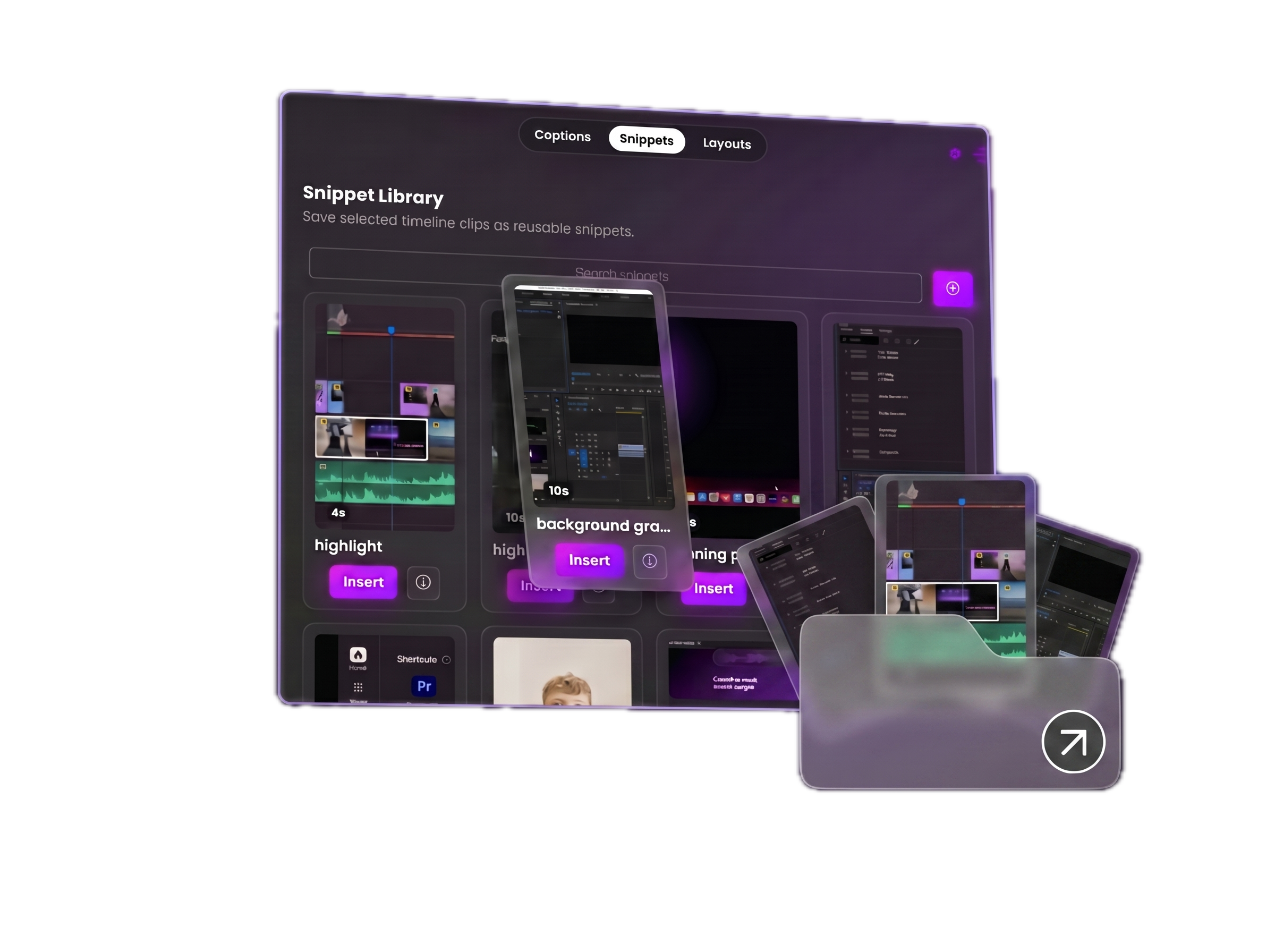
Snippet library
Your creative building blocks. Just one click away.
Stop rebuilding what you've already perfected. Save any part of your timeline — hooks, CTAs, text animations, full sections — and reuse them across every project instantly. It's not a preset library. It's your own work, organised and ready.
Save full sequences — hooks, CTAs, animations, audio — in one click
Browse and preview without leaving Premiere
Insert at playhead instantly — comes in as an editable nested sequence
Reuse across any project — change text, swap b-roll, edit audio
AI transcription
98% more accurate captions. In thousands of styles.
Hit captionize and edyflow transcribes your audio directly inside your timeline — no exports, no third-party apps, no copy-pasting. Save your caption style once per brand and it applies instantly every time. Captions appear on your timeline, fully styled, ready to tweak word-by-word.
Editable word-by-word directly on the timeline
Caption styles saved per brand — never set up twice
Transcribe full sequences or select a clip range
Auto-detects language and handles accents and fast speech
Captions in action
Pricing
Simple pricing. No surprises.
Choose Starter to build your personal snippet library with local storage and captions. Choose Pro for unlimited cloud sync — your entire creative toolkit available across every project, every device.
Starter
For solo creators and freelancers building their personal editing toolkit.
Launch discount · 46% off
$8.79 / monthafter launch ends
Snippets
- 50 snippets • saved locally
- No cloud sync
Captions
- 30 min / month
- Resets on billing date
- All text styles
- Style editor and brand presets
- Multicolor highlighting
- Easy editing
Layouts & Tools
- Core layout pack
Pro
Most popularFor agencies and high-volume editors who work across multiple clients and projects.
Launch discount · 40% off
$24.90 / monthafter launch ends
Snippets
- 500 snippets
- Cloud synced
Captions
- Unlimited transcription
- No monthly cap
- All text styles
- Style editor and brand presets
- Multicolor highlighting
- Easy editing
Layouts & Tools
- Full layout pack library
Two clicks. Any project. See exactly how it works.
Why editors use it
Save timeline parts in one click
Insert at playhead in any project
Edit text, b-roll, audio
Preview without leaving Premiere
Frequently asked questions
Everything you need to know about installing, using, and getting support for edyflow.
Does edyflow work with my existing Premiere Pro projects?
Yes — edyflow works as a panel inside Premiere Pro and doesn't modify your existing project files. You can start saving snippets from any timeline immediately after installation. It's compatible with Premiere Pro 2022 and later on both Mac and Windows.
What happens to my snippets if I cancel?
Your snippets don't disappear. On Starter, they're stored locally on your machine and stay there regardless of your subscription status. On Pro, your cloud library remains accessible for 30 days after cancellation so you can export anything you need.
Is there a money-back guarantee?
Yes — if edyflow doesn't save you time in your first 14 days, email us and we'll refund every cent. No forms, no questions. We'd rather you get your money back than stay subscribed to something that isn't working for you.
How long does installation take?
Under 5 minutes. Download the plugin, run the installer, and edyflow appears as a panel inside Premiere Pro. No restarts required, no technical setup. If you run into anything, our support team typically responds within a few hours.
What happens when I hit my 30 min transcription limit on Starter?
Transcription pauses until your next billing date. You'll see exactly when your limit resets inside the plugin. Your existing captions and snippets are unaffected — only new transcription is paused. Upgrade to Pro at any time for unlimited transcription.
Can I use edyflow across multiple machines?
On Pro, your snippet library is cloud synced and accessible on any device where edyflow is installed — useful if you work across a home setup and a studio machine, or share a library with your team. Starter stores snippets locally on one machine only.
See it in action
Real edits.
Real workflows.
No credit card required
Stop recreating.
Start reusing.
Every hook, CTA, and animation you've ever built — saved once, available in every project. Your editing style, finally organised.